Give every client a front-row seat to their build.
Show it in the sales meeting. Hand them their own home page at signing. Then keep them in the loop with photos, dates and answers until move-in. They trust you more, and you get fewer calls.
$49 a month for up to 5 homes at a time. No card to start.
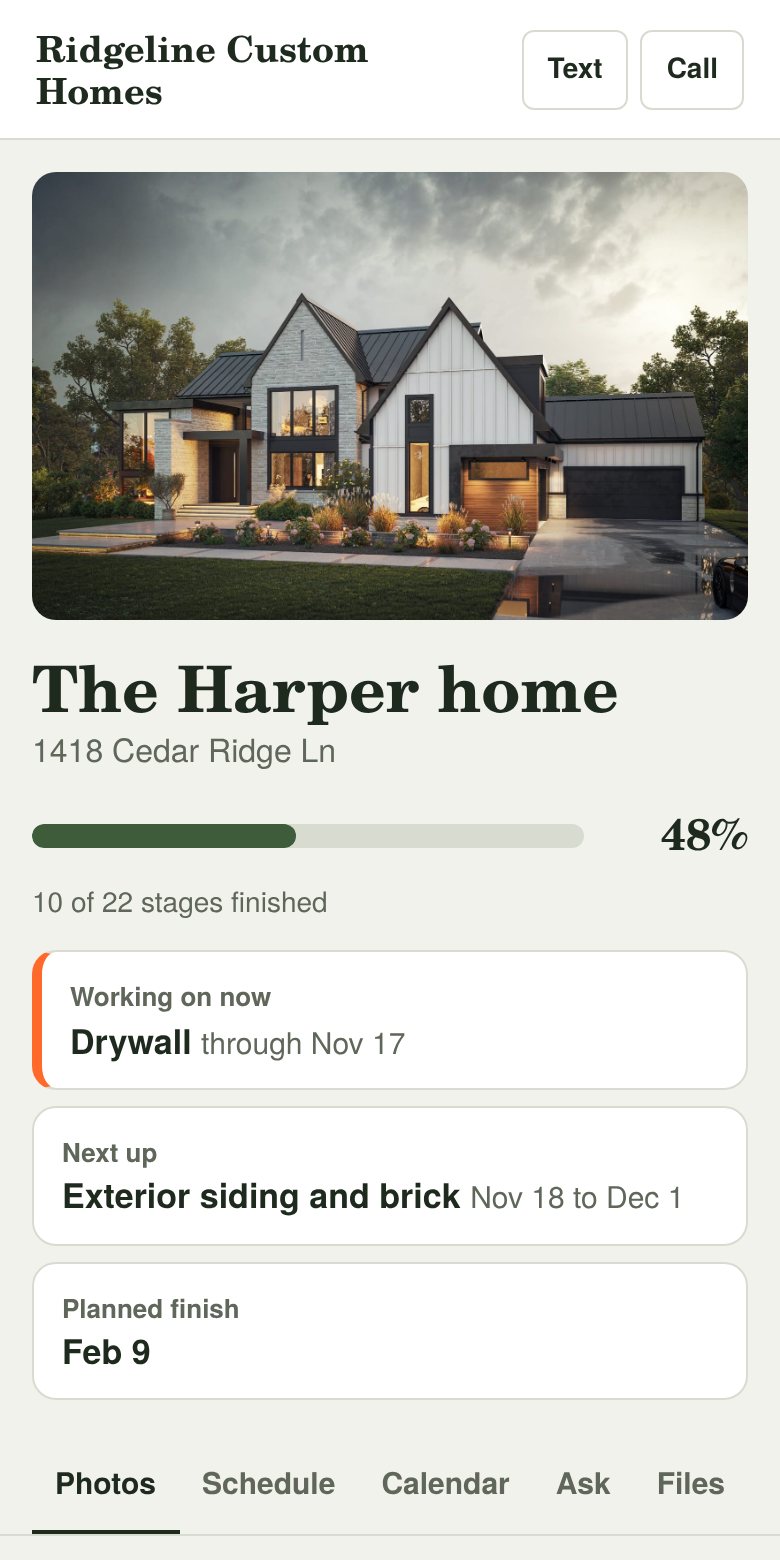
From the first meeting to move-in
You already build great homes. This makes the experience around them match.
Stand out from every other bid
Pull up a sample home page on your phone and show buyers exactly how they’ll follow their build. Most builders hand over a contract. You show them how you’ll keep them in the loop.
Hand them their home page
Add their home in two minutes, put their rendering at the top, and text them the link before they leave the table. It’s theirs from day one.
Earn their trust every week
Photos as each stage wraps up, a schedule they can read, and one place to ask you anything. They feel looked after, even from 800 miles away.
Set up a home in about two minutes
If you can text a photo, you can run this.
Add the home
Pick the custom home or remodel schedule and a start date, and add their rendering as the cover. Every trade gets dates, skipping weekends.
Send them their link
Each person gets a private link by email or text. No app to download and no password to forget. Up to 6 people per home.
Snap photos when a trade finishes
Three photos and one line. They get an email right away, plus a short recap every Friday afternoon.
What your client sees
Their home, with your logo and name at the top. It feels like something you made just for them.
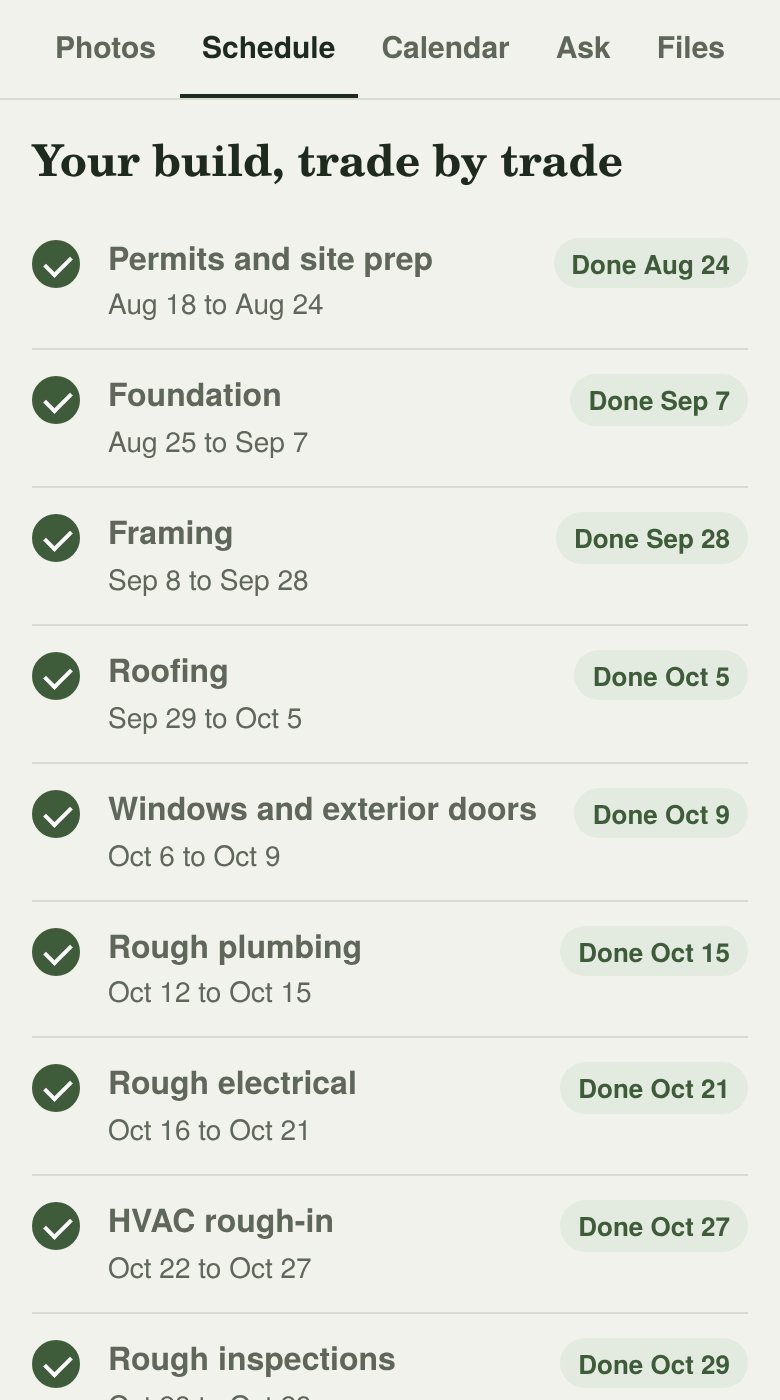
- The full schedule, trade by tradeStart and finish dates for every stage, and what’s done.
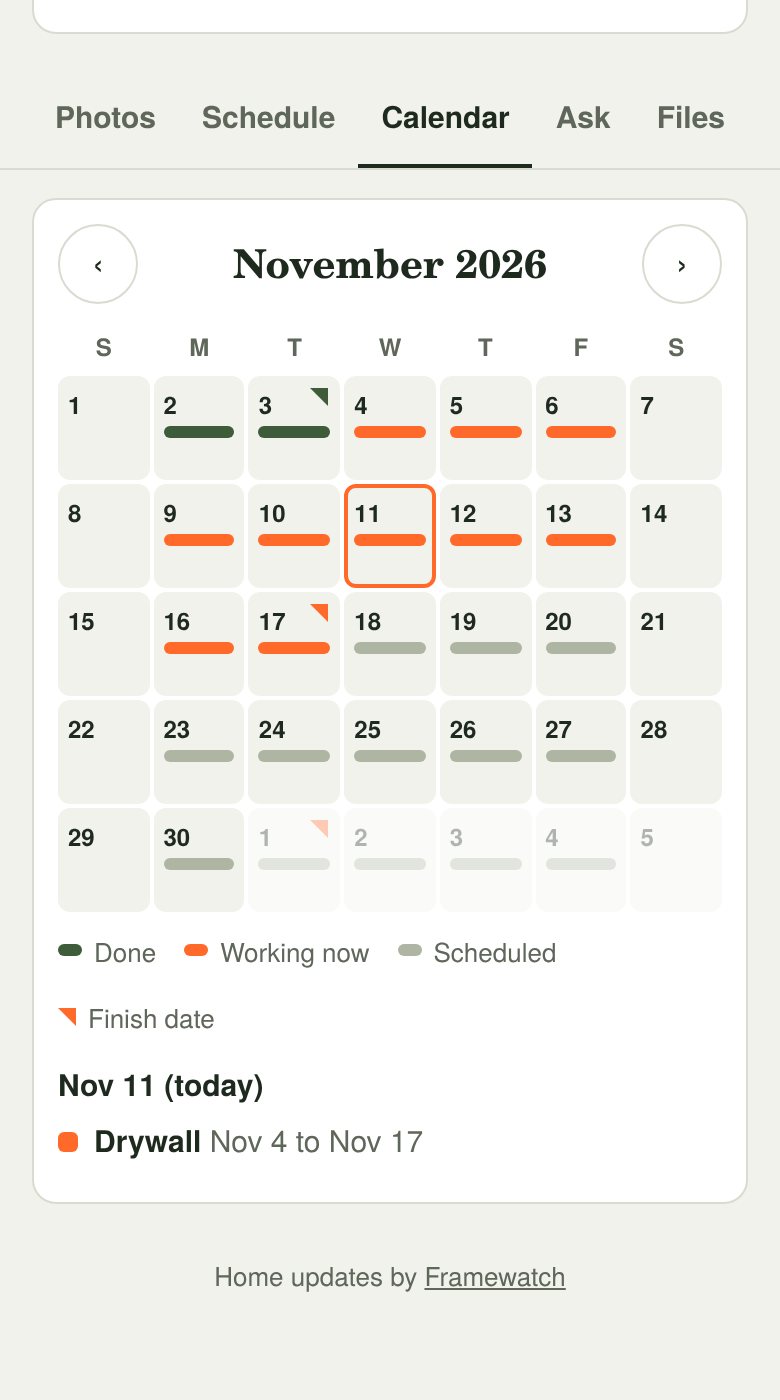
- A calendar of completion datesTap any day to see what’s planned.
- Photos of each completed stageA running timeline of the whole build.
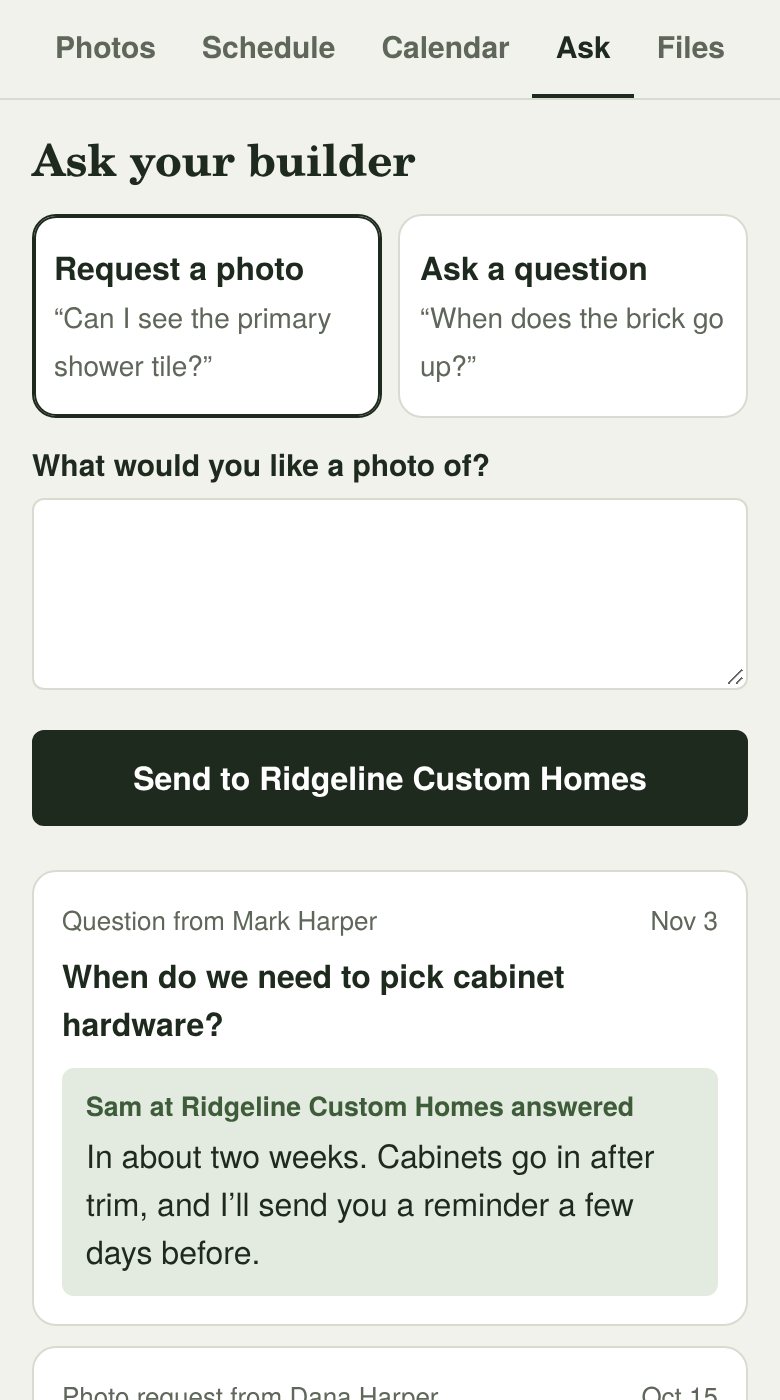
- “Request a photo” and “Ask a question”It all lands in one place for you, instead of 40 texts.
- Plans and documentsFloor plans, selections and warranty info.
- Tap to call or text youYou’re still the person they talk to.
What it does for your business
A better experience for your clients is good business for you.
- Win more sales meetingsBuyers remember the builder who showed them exactly how they’d be kept in the loop.
- Clients who trust youWhen they can see the work, there’s less worry, less second-guessing and less back-and-forth.
- Fewer interruptionsQuestions land in one place. Answer from your phone, and the answer is saved so nobody asks twice.
- Referrals and reviewsHappy clients show their page to friends and family. It’s the best brochure you’ll have.
- Your brand on every page and emailYour logo, your name, your phone number. Framewatch stays in the background.
- Your whole team on itFree logins for project managers and supers to post updates and answer clients. Only you see billing.
- A dated record of the jobEvery photo and update has a date on it, so “nobody told us” has an answer.
Simple pricing
Every plan includes free team logins, up to 6 homeowners per home, all your photos and updates, questions, and the Friday recap. Finished homes don’t count toward your plan.
- 30 days free, no card
- Change your plan anytimeRight from Settings on your phone.
- Cancel anytimeHomeowners keep access to their page.
Need one or two more? Add extra homes for $10/month each.
Or pay yearly: $490/year, 2 months free.
Start free for 30 daysFor builders running a bigger lineup. Extra homes are $10/month each.
Or pay yearly: $1,490/year, 2 months free.
Start free for 30 daysWorks alongside whatever you already use to run your jobs. There’s nothing to switch.
Built by a construction project engineer
I’ve spent my career on job sites and in schedules, and I’ve seen how much time goes into keeping owners updated. Framewatch is the simplest fix I know: show them the work, on a schedule they can read, from wherever they are.
Questions builders ask
How do I use it in a sales meeting?
Open the sample home on your phone and walk the buyer through it: “This is what you’ll see during your build.” When they sign, add their home, put their rendering on top, and text them their link before they leave.
Do my homeowners need to download an app?
No. They tap their link and the page opens in their phone’s browser. They can save it to their home screen if they want, but they don’t have to make an account.
Is it only for new custom homes?
It’s built for custom homes first, and it works for remodels and additions too. There’s a remodel schedule to start from, or you can start blank and add your own trades.
What happens when the schedule slips?
Push every unfinished trade back by a few workdays with one tap, or change a single date. The homeowner page always says dates can move with weather, inspections and deliveries.
Who can see the photos?
Only people with a link to that home. Links are long and random, and you can remove anyone at any time, which turns their link off.
How long does posting an update take?
About 30 seconds. Open the home, tap “Post update,” pick photos from your camera roll, and send. Photos are shrunk on your phone first, so they upload fast even on one bar of signal.
Can my project manager use it too?
Yes. Invite your project managers and supers from Settings, and each one gets their own login. They can post updates, change the schedule and answer homeowners, and their name shows on what they post. Only you see billing. Team logins are free on every plan.
Do I have to switch from the software I use now?
No. Framewatch isn’t another system for running your jobs. It’s the part your clients see: their own page for their home. Keep using whatever you already use.
What counts as a home?
A home you’re building right now. When it’s finished, move it to Finished and it stops counting toward your plan. Its homeowners keep their page and every photo.
What if I build more than 5 at a time?
Add extra homes for $10 a month each, or switch to Pro: $149 a month for up to 20 homes. You can change it anytime in Settings.
What’s the founding price?
The first 20 builders who add a card get the Builder plan for $29 a month instead of $49, for as long as they stay on the Builder plan with monthly billing. Extra homes are still $10 each. If you switch plans or cancel, the founding price ends.
Can I pay yearly?
Yes. Yearly billing is 10 months’ price for 12 months: $490 a year for Builder or $1,490 a year for Pro. You can switch in Settings.
What if I cancel?
You can cancel from Settings in a couple of taps. Your homeowners can still open their page, so nobody loses their photos.
Give your next client a front-row seat
Free for 30 days. No card. Set up takes two minutes.